Permafrost Crashing: DX11, Error 11c7 and Launch Fixes
Follow the developer's October 2026 Permafrost crash fixes in order: frame generation, super resolution, graphics preset, DX11 startup and Error 11c7.
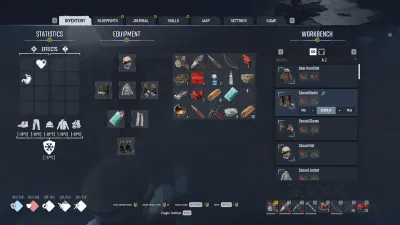
First check whether your build updated
Permafrost launched October 9, 2026 and already received an RTX 20/30 Series stability hotfix affecting FSR. Let Steam finish updating, then restart the client before repeating the crash. A reinstall is not the first troubleshooting step.
The official pinned developer “Start Here” support post provides this ordered graphics sequence.
If you can open Settings: test one change at a time
- Set Multi-Frame-Generation-Type = Off.
- If crashes continue, turn off Super Resolution as well.
- Lower the Quality Preset to a less demanding option.
- As the last graphics setting test, try V-Sync On vs Off and observe the result.
Change one setting at a time so you can identify which actually helps. If a step has no effect, record it rather than declaring that every workaround “fixes the game.”
If you crash before the menu: launch with DX11
- Open your Steam Library and right-click Permafrost.
- Choose Properties → General.
- In Launch Options, enter the following exactly:
-dx11
- Close Properties and try launching the game again. If it makes no difference, remove the flag so you don’t forget it was added.
The launch flag is a developer-suggested workaround; it is not a blanket claim that DX11 is faster or supported identically on all graphics cards.
Error 11c7: Windows Smart App Control
In the official support post, the developer identifies Windows Smart App Control blocking the executable as a possible cause of 11c7. Players reported success turning it off, but doing so reduces system protection and may be difficult to reverse without a Windows reset depending on settings.
Before changing security configuration, check the Windows security explanation from Microsoft, confirm the executable came from the official store, and contact the developer if you are unsure. Do not disable security protections merely because a fan guide instructs you to.
Still crashes? Report a reproducible issue
Provide CPU, GPU, RAM, driver version, Windows version, current game patch and whether the problem occurs before the main menu or during gameplay. The developer requests logs via Toplitz FileHub and forum reports in the official Bug Reporting channel. Do not include passwords or irrelevant personal files.
You can verify the PC requirement table and browse Steam community help before filing. For session-only failures use the co-op troubleshooting guide instead of graphics fixes.
Primary source: Developer-pinned launch and crash help, October 9 2026.
Related Articles
Was this helpful?
Thanks for the feedback!